
Small business lead generation tools should help the right people understand your offer, contact you, and receive a useful response. A form, a customer record, and an automatic message perform different jobs. Buying all three does not establish customer demand or guarantee sales. Before choosing software, map the path from a visitor’s question to a completed inquiry and a clear next step. Then select the tool that addresses an actual gap in that process.
Explore bicycle flipping with this related channel video. Its title describes the original video; it does not establish expected earnings.
Open the related bicycle flipping video watch page
This guide focuses on a manageable system for a small business. It uses official HubSpot information as one product example without declaring it the best choice for every reader. Check current features, limits, and terms directly. The New Flip bicycle-flipping education also provides a concrete example of a business whose customer conversations need organization. Your objective is a process you can maintain, measure, and improve without mistaking a growing contact list for completed business.
Define the inquiry you actually want
A useful lead begins with a relevant customer situation. Write down who you help, what you offer, and what information lets you determine the next step. A generic contact form may be appropriate for some businesses, while a service inquiry may need specific details. Avoid collecting information merely because a tool makes another field easy to add. Each question should serve an identifiable purpose in the customer conversation.
Keep the customer’s effort in mind. If a form asks for many details before explaining the offer, people may not understand why they should complete it. State what happens after submission and what the business needs to evaluate. The visitor should be able to decide whether the request is appropriate. Better qualification begins with a clear offer, not with a long form that compensates for missing page information.
Map the path before comparing products
Write the sequence in ordinary language: visitor reads the offer, submits an inquiry, receives acknowledgment, the business reviews it, and someone proposes the next action. Add the person responsible and the information needed at each step. This reveals where the current process is unclear. A tool comparison becomes easier when you can point to a specific task rather than ask for every possible marketing feature.
Identify exceptions too. What happens if the form is incomplete, the request is unrelated, or the visitor needs a different service? Who notices if an acknowledgment fails? You do not need to automate every exception immediately. You do need a way to recognize and handle ordinary situations. A simple system with clear ownership is more useful than a complex setup whose unanswered inquiries are nobody’s responsibility.
Use a clear offer page as the foundation
The page should explain who the service helps, what it covers, and what the visitor can do next. Include accurate limitations and relevant details before asking for contact information. If availability depends on location, item type, or project scope, make that understandable. A form cannot repair a page that leaves the main offer unclear or implies services the business does not provide.
Review the page as a new visitor on a phone. Can you identify the offer quickly? Does the action label explain what will happen? Are essential details available without opening unrelated pages? These checks require no elaborate software. They help you understand the customer experience before adding tools that send more people into the same confusing path. Fix the explanation before assuming the problem is traffic volume.
Choose form fields that support the next decision
Start with the information necessary to respond and evaluate relevance. For a local service, this might include a location and a brief description of the need. For a specific product inquiry, it may involve the item or offer being discussed. The correct fields depend on the actual business. Make required questions clear and explain any unusual request so people understand why the information matters.
Test the form using appropriate test information and check what reaches the business. Confirm labels, validation, confirmation wording, and the destination of the record. Do not stop at the editor preview. The public page and received inquiry need to match the intended process. A visitor’s successful submission should produce something the business can actually find and act on, rather than a message that disappears into an unmonitored destination.
Understand what a CRM contributes
A customer-relationship system can organize contact information, inquiry context, stages, notes, and next actions. It does not create a clear offer or decide what your response should be. Define the minimum record you need. A new inquiry, a request awaiting clarification, and a completed customer arrangement should not all appear as identical contacts with no indication of what happens next.
HubSpot’s official CRM page describes its contact and connected business tools, including lead-capture capabilities. Use the current product page to check the features and limits relevant to your plan. A listed free offering does not mean every workflow or later requirement is included. Compare the actual setup you need and verify the terms before relying on it for your customer process.
Make acknowledgment different from follow-up
An acknowledgment confirms that a request was received and explains the expected next step. A follow-up responds to the person’s actual need or requests missing information. Avoid treating an automatic greeting as completion of the inquiry. Someone still needs to review the request and decide what response is appropriate. Assign that responsibility clearly and set timing the business can realistically support.
Keep messages accurate. Do not say an offer has been approved or an appointment is confirmed before that event occurs. Use the person’s relevant context rather than sending unrelated promotions as the only response. If the process includes ongoing marketing messages, review applicable requirements and the customer’s preferences with appropriate guidance. A tool’s ability to send a message does not establish that every message is useful or suitable.
Track a next action for each genuine inquiry
Choose a small set of meaningful stages and define them. Received, needs clarification, proposal sent, awaiting response, and closed may be useful examples, but adapt them to your business. Each active record should identify the next task and responsible person. Avoid stages that sound impressive but do not change what anyone does. The system should make work visible rather than create another administrative puzzle.
Review records that have no next action. They may reveal an unclear handoff or an inquiry that should be closed. Keep closure reasons factual. The visitor may be outside the service area, need a different offer, or choose not to proceed. Those outcomes can still teach you something about the page or form. They should not be counted as completed sales merely because contact information was collected.
Measure useful outcomes rather than list size
Distinguish page visits, form starts, completed submissions, relevant inquiries, appointments, and completed transactions. Each answers a different question. More contacts can coexist with poor relevance or slow response. Choose measurements tied to the business action you want the website to support. Keep the definitions consistent so you can compare periods without quietly changing what counts as a result.
Also examine the quality of the information received. If many people ask a question already supposed to be answered on the page, review its clarity. If the form repeatedly lacks a necessary detail, reconsider the field or explanation. Use patterns to choose a specific improvement. A useful report should point toward an action, not simply display a larger number with no account of what happened afterward.
Apply the process to bicycle flipping
A bicycle business may need to organize seller information, research notes, purchase decisions, inventory status, and buyer inquiries. These are different records and responsibilities. Keep the identity and condition information attached to the actual item. Do not assume a message about one bicycle refers to another similar listing. Accurate organization supports a clearer conversation when details change or someone returns later with a question.
The owner still needs appropriate product knowledge, assessment, transport, storage, and handover arrangements. Software assistance does not remove purchase risk or make the process passive. If you cannot assess a mechanical or structural concern, get qualified help or pass. The useful role of a tool is to support a defined workflow, not to turn unknown information into an apparently confident buying or selling decision.
Learn the operating process before automating it
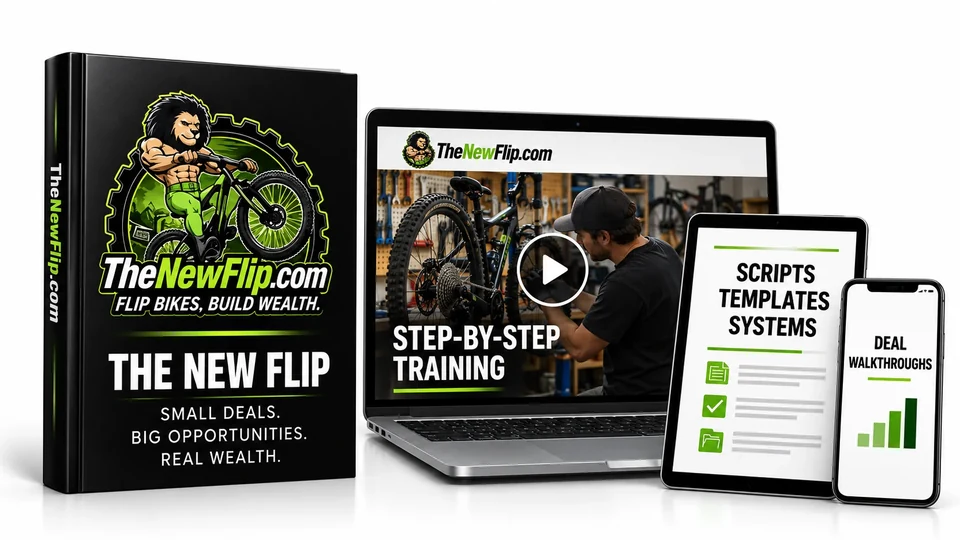
For structured education, explore The New Flip Complete System and Bicycle Flipping Academy training. The $199 one-time offer is shown against a listed $1,500 comparison price, a $1,301 difference. Review the book, videos, scripts, templates, and training materials. The self-paced package is educational and separate from hosted software, websites, coaching, and other technology services.
For property education, start the free seller financing course at My Real Estate Dojo. Use learning resources to understand the customer conversations and responsibilities of the particular activity. A familiar form or CRM screen does not make every business process the same. Keep the underlying decisions clear before choosing how software will organize or assist with them.
Add tools one bottleneck at a time
Choose the task currently causing a problem. If submissions are not reaching the business, address capture and delivery. If records are scattered, improve organization. If nobody knows what to do next, define stages and ownership. Test the change through the public customer path and the internal response. Adding several products at once can make it harder to understand which part helped and which created new confusion.
Review total costs and ongoing maintenance before expanding. Include subscriptions, users, integrations, and the time needed to keep information accurate. Verify export and access options so the business understands how its records are handled. A manageable system should remain useful when the owner is busy, not depend on perfect memory or constant manual copying between disconnected tools. Simplicity is valuable when it supports reliable action.
Build one complete inquiry cycle
Map the customer path, choose necessary fields, assign review, and record the next action. Test the process from the public page through a completed response. Then measure what happens with genuine inquiries and improve one observed issue. Small business lead generation tools are useful when they support that complete cycle. The objective is a relevant conversation and a workable next step, not merely more names in a dashboard.
If bicycle flipping is your business-learning project, review The New Flip Complete System. For a free introduction to property education, begin the seller financing course. Start with a specific process you want to understand, keep clear records, and choose tools that solve an observed task. That makes the next software decision easier to explain and evaluate.